Default MAMP directory listings are ugly by default. Fortunately, it takes less than 5 minutes to make it a whole lot prettier by using Apaxy.
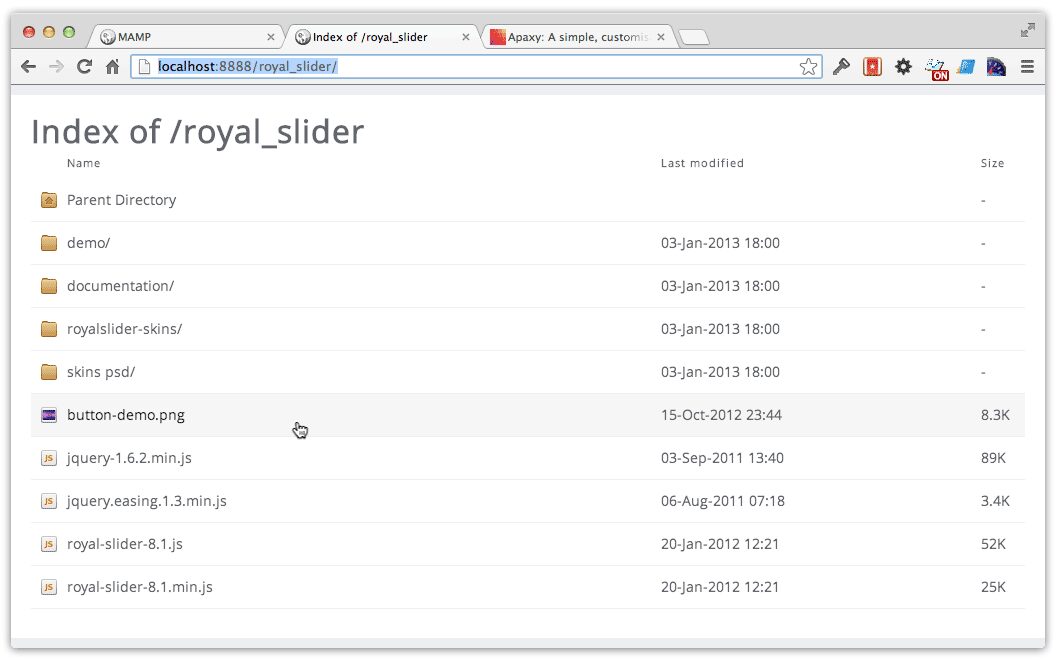
Apaxy from Adam Whitcroft is a lightweight “theme” for Apache directory listings. The default directory listings for MAMP are really ugly. With lots of project folders, it also becomes difficult to navigate. Apaxy adds some very basic (and customizable) CSS styling to the directory listings. In less than five minutes your directory listings can look like this:
Installation:
- Download and unzip Apaxy
- Copy and paste the contents of the
/apaxyfolder to your/htdocsfolder - Edit
htaccess.txt(now in the/htdocsfolder) and update all instances of paths marked with {FOLDERNAME} to http://localhost:8888 - Rename htaccess.txt to .htaccess
You’re done. Enjoy your classy directory listings!